AI Disclaimer
This report was completely hand-written by myself.
1) Introduction
I’m hosting my own server, with a bunch of microservices for various purposes. Those range from Immich (selfhosted alternative to Google Photos) to this blog, a Pihole stack, a Hedgedoc stack and even a homeassistant stack (and a lot of others). Some are publicly accessible, some aren’t depending of my needs. This makes monitoring all of it quite a challenge!

With this observation in mind, and with my CTI knowledge, I wanted a way to monitor the behavior of the users (and potential Threat Actors!) of my microservices. I wanted something that made me capable of fingerprinting the behavior of each user, with some kind of timeline view to track if they were actually performing malicious actions.
I learned about browser fingerprinting, the available solutions that already existed, and found out about FPScanner. To quote its description, “This library focuses on self-hosted fingerprinting and bot detection primitives”, which is exactly what I’m looking for! So I chose to develop a platform based on this fingerprinting library, whose purpose would be to correlate / analyze the collected data.
Here were my initial requirements:
- I want to fingerprint each connection to any of my microservices
- I want to retrieve its behavioral data (user click, copy/paste, etc…)
- I want to have some kind of scoring for each user ‘session’ based on the metadata of the device that was used.
- I want to be able to customize alerting rules based on specific values in specific fields. Those would in turn impact the scoring.
- I want to be able to connect the platform to external CTI sources / Threat Intelligence Platforms, for ingestion AND dissemination!
- I want to be able to visualize trends with customizeable dashboards.
For the CTI analysts reading this, you’ll have understood that a direct inspiration for this project is OpenCTI, Filigran’s Threat Intelligence Platform that I use daily. In fact, The first available connector is an OpenCTI connector, that queries each IP address on OpenCTI and retrieves any known malicious behavior!
In the past months, I have built the first version of this project called OpenFraudMonitoring, which answers all these requirements and is deployed on my infrastructure!
Note: if you’re impatient and want to see what the fingerprinting looks like, you can try it out here.
2) Technical implementation
This project is Open-source and heavily documented. However, I’d like to give an overview of how it works under the hood:
Client side
The client side is so far mostly based on FPScanner. It is a Javascript snippet that is injected on each page of my stack, which fingerprints the user and follows along their browsing. Here, fingerprinting means correlating data like screen resolution, total available RAM, User-Agent, etc… On top of FPScanner, I have added basic behavioral fingerprinting. Things like copy/pastes, button clicks make retracing a Threat Actor’s behavior much easier, and way more interesting!
Server backend
- Python Flask: mostly because Python is easy to use, does not require compilation and already has most of the libraries that I need.
- RabbitMQ: As I needed asynchronous queues (fingerprint ingestion, Threat Intelligence enrichment), I have added a RabbitMQ container to the stack.
- PostgreSQL: for the database, the current version of OFM works with a PostgreSQL db.
- Redis: Event queue for external connectors, whose implementation were directly inspired from OpenCTI.
- CRUD API: I’ve thought about choosing a GraphQL API over a simple CRUD API (Create, Read, Update, Delete), but for the sake of the ease of implementation, I chose the simpler API format.
Server frontend
I have chosen a React-based front-end, mostly because it is object-oriented and I prefer this style of programming when it comes to front-end. In addition, that’s one of the front-end languages that I have previous experience with.
Injecting the client script in my microservices
I use caddy as a Reverse-Proxy. The simplest way I have found to automatically inject the script into my microservices was to make Caddy do it! Here is the relevant part of the CaddyFile that I use:
(inject_ofm) {
    replace `</body>` `<script src="https://ofm.dreadfog.fr/ofm.js"></script></body>`
}

[...]
blog.dreadfog.fr {
    import inject_ofm
    reverse_proxy hugo:1313 {
        header_up Accept-Encoding identity
    }
}
For each container that I expose to the Internet, the script is added to every webpage by the reverse-proxy. Note: For some solutions, cross-origin script fetching is disabled. You need to allow your OFM instance as a trusted script source, and the method varies from one service to the other.
3) Key features
Now onto the fun part. What can OpenFraudMonitoring currently do? Here is a non-exhaustive list of the features, sorted in the main categories:
Core features
- Main dashboard with the latest activity.
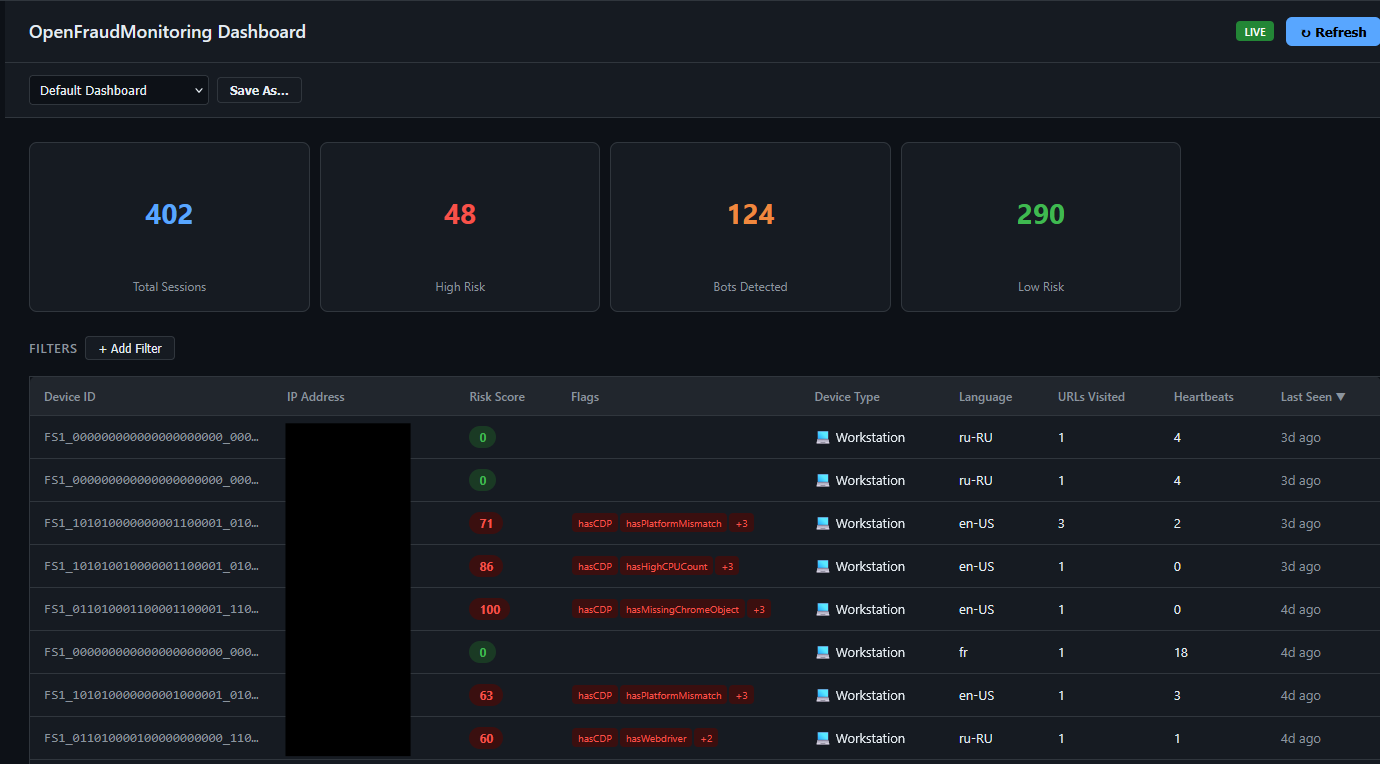
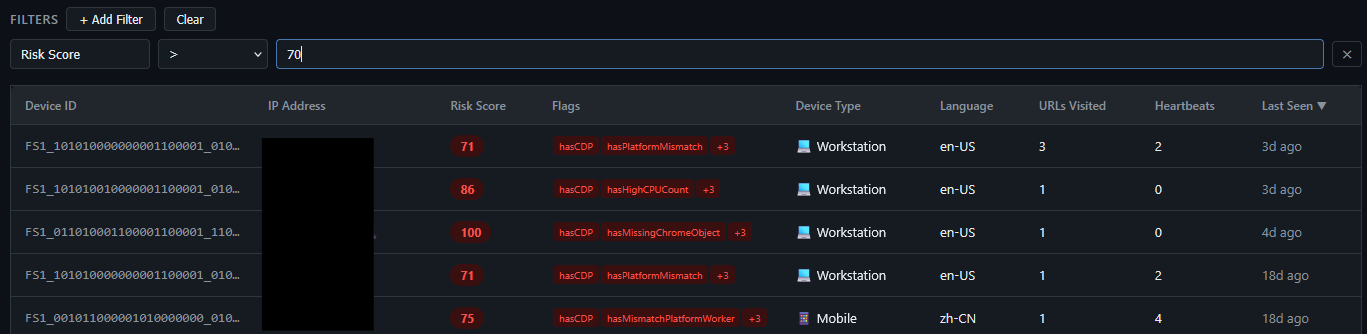
- Filtering capabilities for the sessions. All the session fields can be filtered upon (ex: user agent, number of CPU cores, etc…)
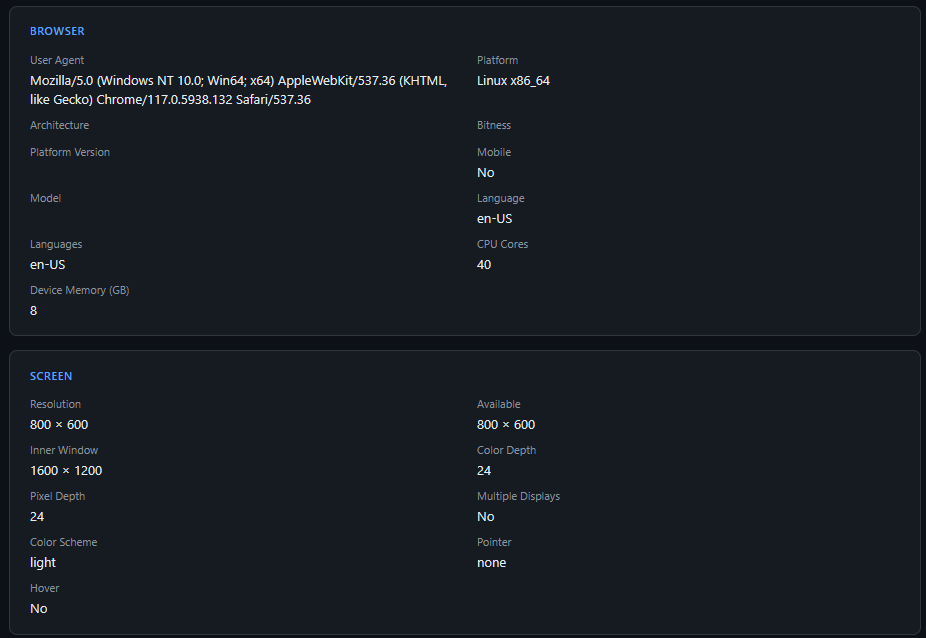
- Session visualization (Session fingerprint details + behavioral details)
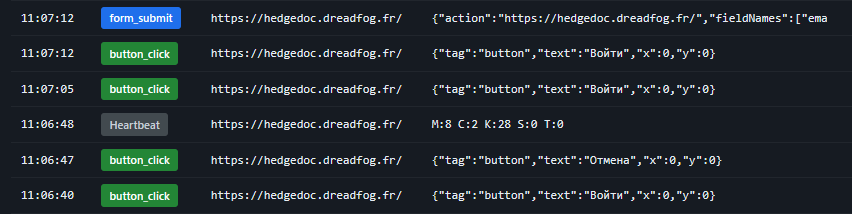
 Example of somebody trying to login on my Hedgedoc instance:
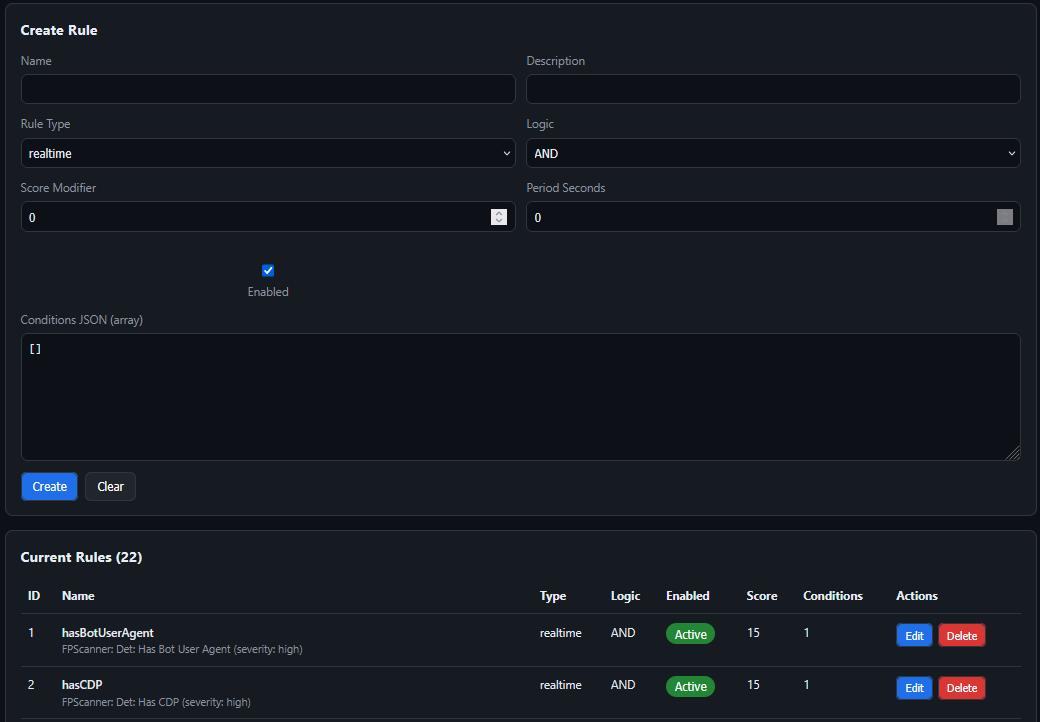
- Session scoring, prepopulated with all the custom rules of FPScanner. Custom rules may be configured based off filters
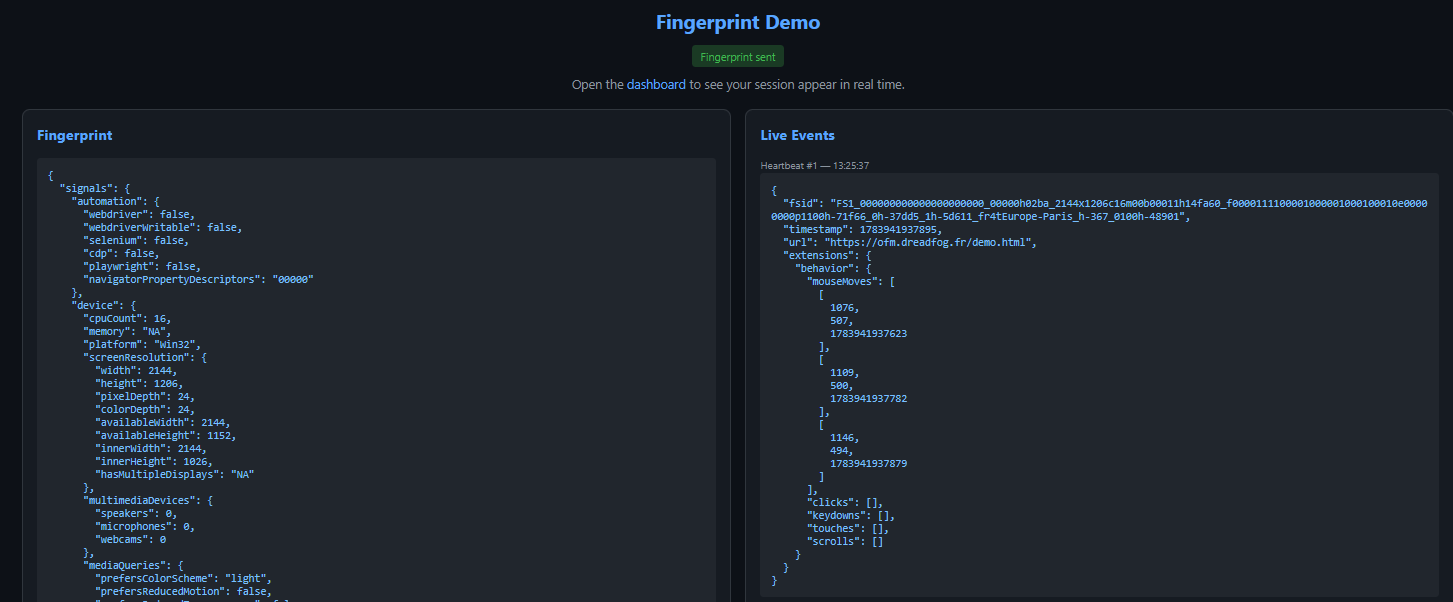
- Dummy demo page for me to test new fingerprint features, and for you to see how it looks like! Try it out here
Dashboarding features
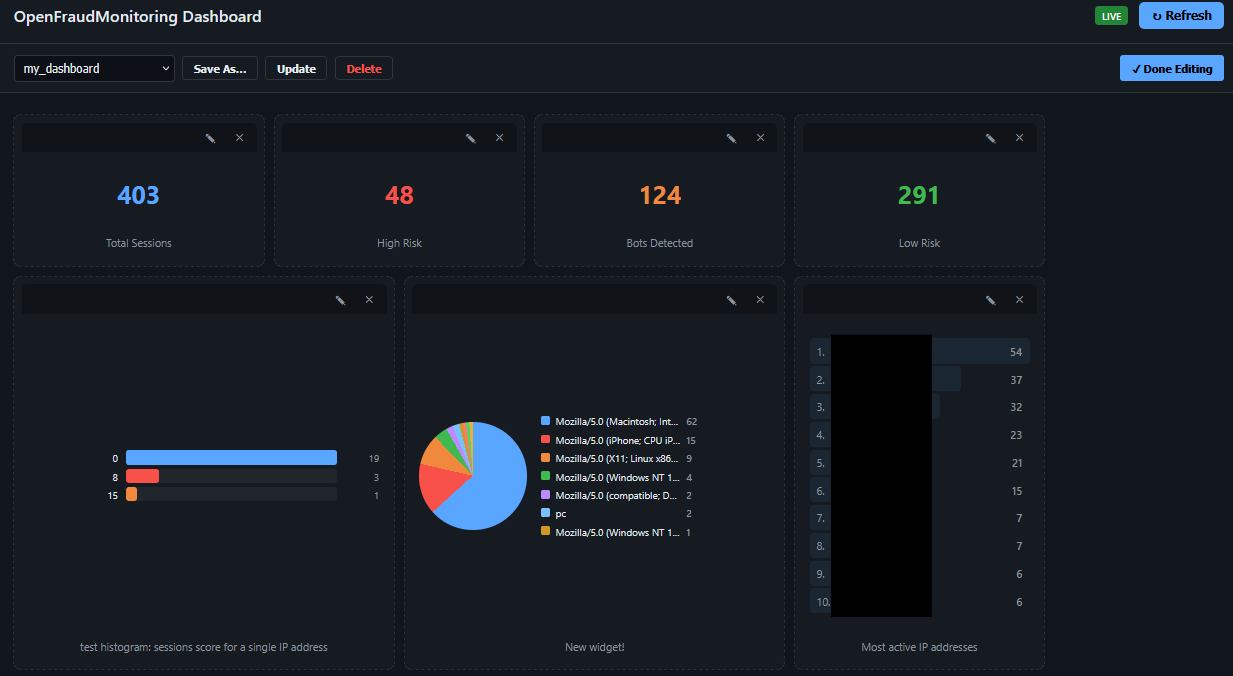
This is directly inspired from the dashboarding feature of OpenCTI: you can create a custom dashboard with widgets:
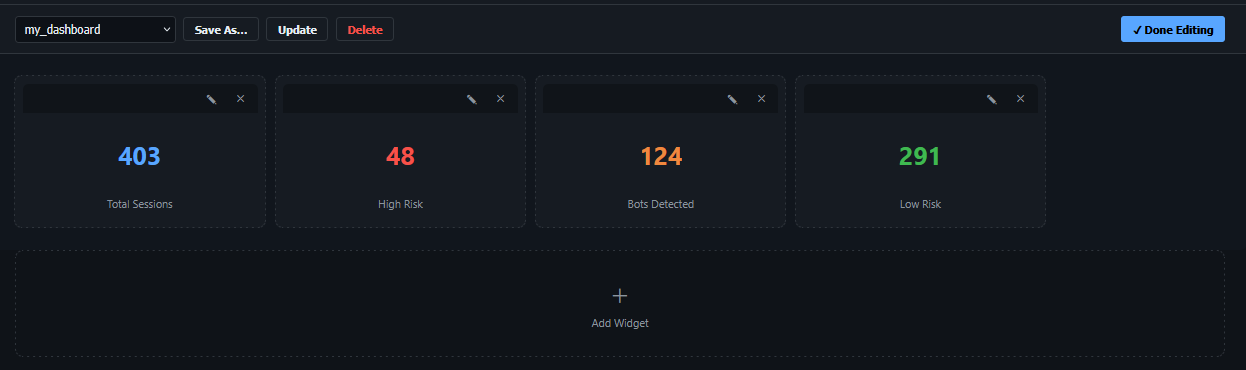
- Choose the visualization method
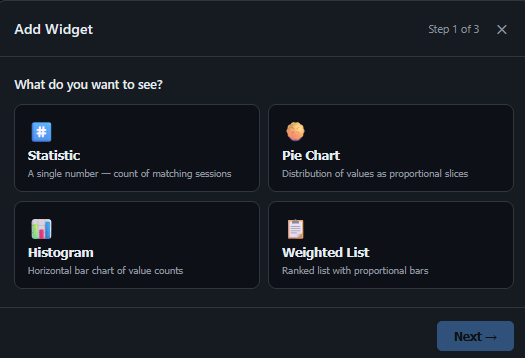
- Select what you want to visualize
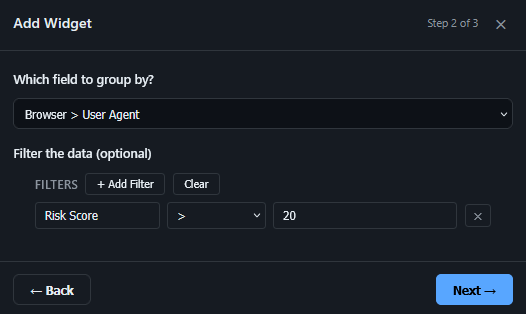
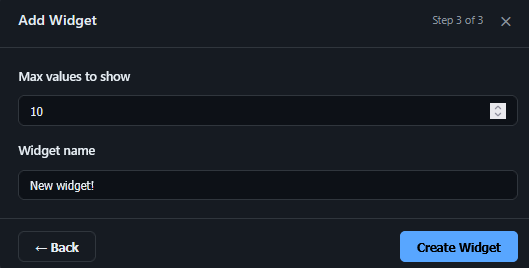
- Configure the maximum number of values to show
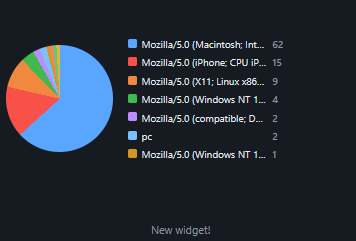
Result:
You can add as many widgets as you want, and move them around to your convenience:
Threat Intelligence enrichment features
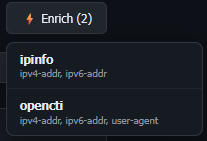
There are currently two connectors that can be used to enrich the data on OFM:
- IPInfo connector to retrieve geolocation info about an IP address
- OpenCTI connector to retrieve intelligence from the remote instance
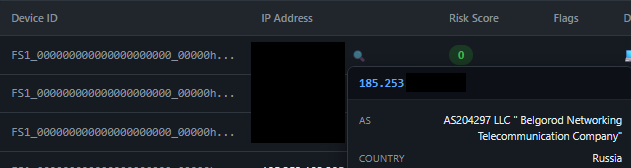
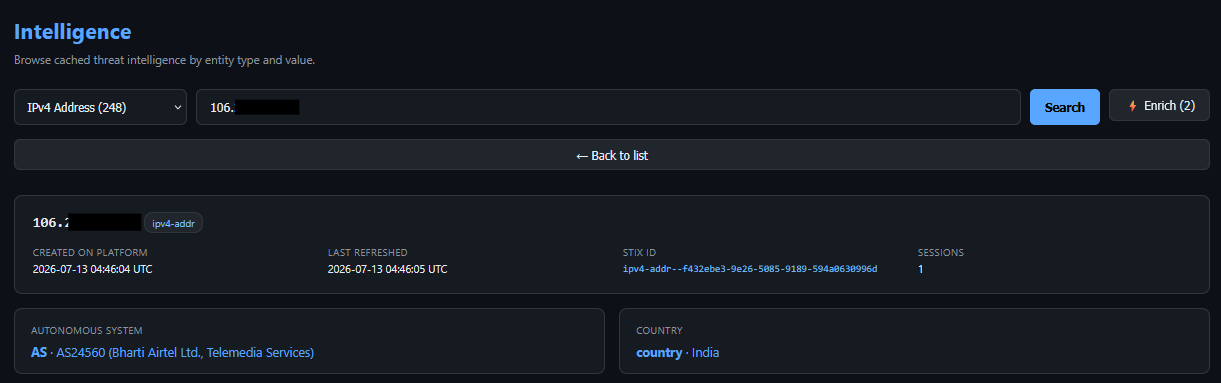
The geolocation can be filtered upon at session level, and is available at two places:
-
In the main dashboard by clicking on the lens button next to an IP address
-
In the intelligence page of an IP address
The enrichment method (automatic vs manual) is configured at the connector level. You can manually trigger an enricher by clicking on the button:
Dissemination
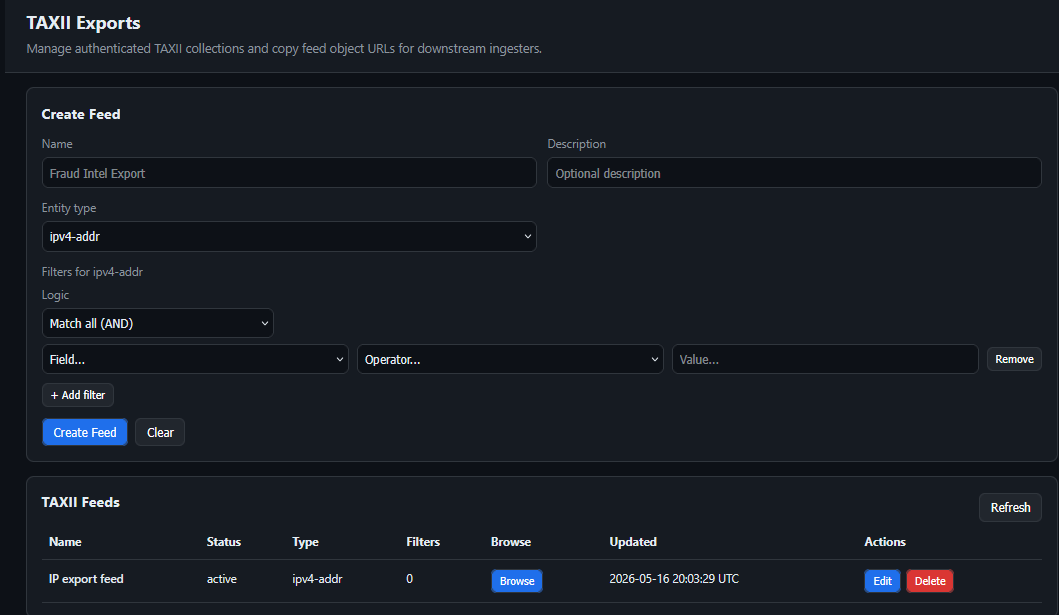
I tried to make OFM as STIX2.1-compliant as possible, which is not easy to do! This is still a WIP, but I’m planning to add the possibility to configure outgoing TAXII feeds.
Administration / RBAC features
OFM was initially planned for my use-case on my server. However, I added some features other sysadmins may find useful:
- connector state monitoring directly in the web interface

- CORS configuration / modification directly in the web interface

- Basic user management with 3 default roles: user, admin, connector

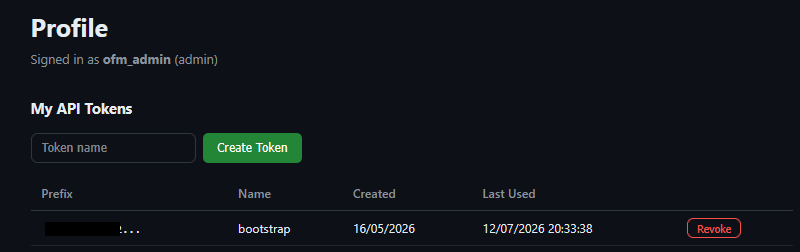
- Custom integration by querying directly the API: you can generate a new token and use it to interact with OFM’s API as a bearer token
5) Case study: malicious behavior on my Hedgedoc instance
I’d like to go over an example of malicious behavior that I have discovered thanks to OFM: for some reason, when I created my Hedgedoc instance years ago, I never disabled the anonymous note creation capability! I discovered this the day I configured Hedgedoc to report back to OFM, as I had several unknown IP addresses browsing pages I had never created myself!
The volume of queries to my Hedgedoc instance
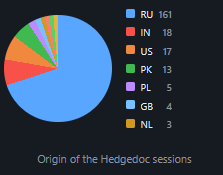
Upon connection of Hedgedoc to OFM, I started getting a lot of sessions of unknown IP addresses browsing the service:
 |
 |
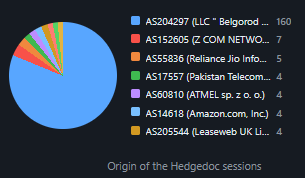 |
The data was clear: mostly Russian / Indian IP addresses were browsing pages hosted on my Hedgedoc instance!
What they were doing
Some IP addresses were trying to log into my instance with an empty email and password
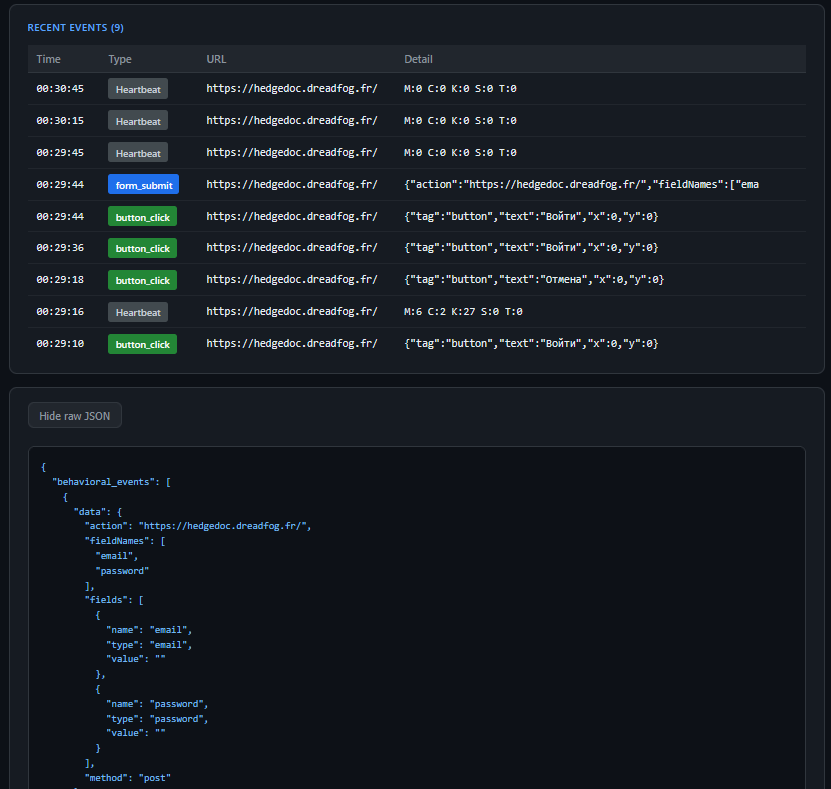
Some IP addresses were navigating to various pages
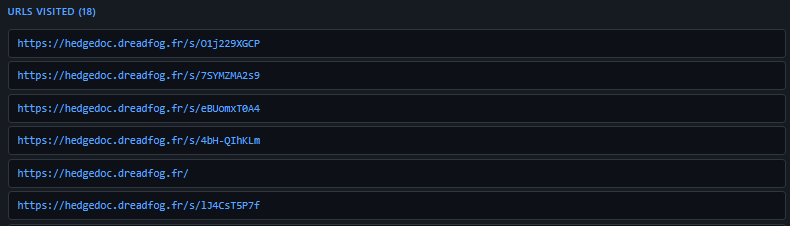
What did those pages contain
As I started investigating this, the volume of pages created anonymously on my instance blew my mind: in the 3 years it had been running, more than 11.000 individual pages had been created! It had enough time to be indexed by Google, to an extent where if you searched for my instance URL on Google, hundreds of results were returned. (now, as I have deleted them, none still appears.)
On the other hand, searching for my Hedgedoc URL in page contents returned hundreds of results, mainly related to other Hedgedoc instances referencing mine!
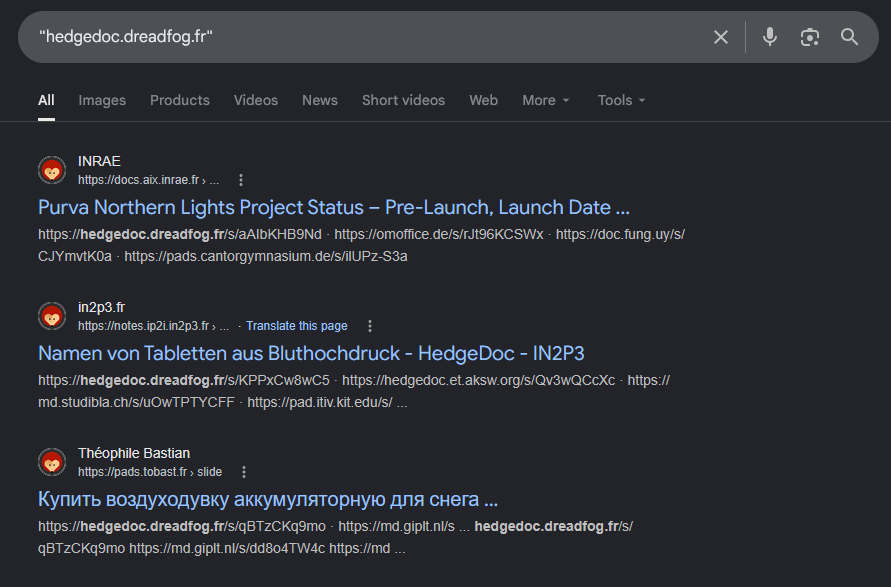
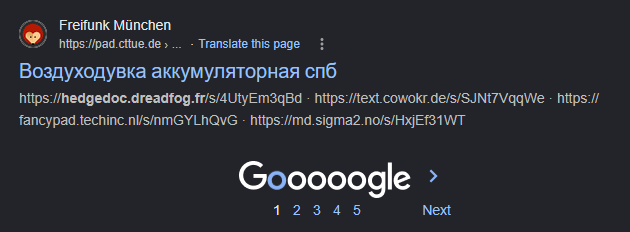
Thanks to this, I learned a few things:
- a lot of Hedgedoc instances have the “anonymous page creation” capability enabled
- my instance was part of a vast illegal advertising / cross-referencing campaign:
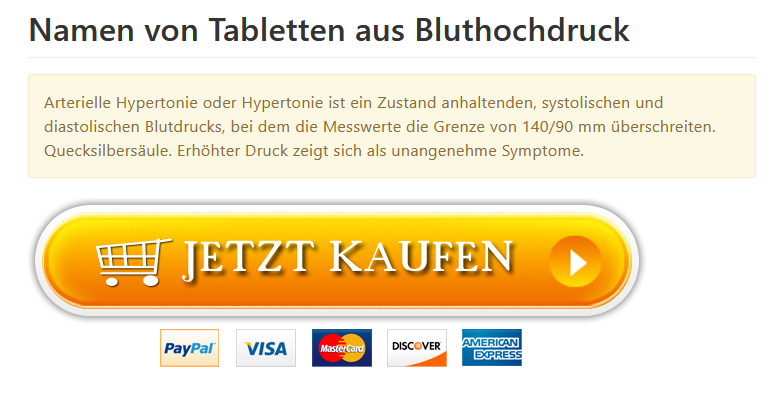
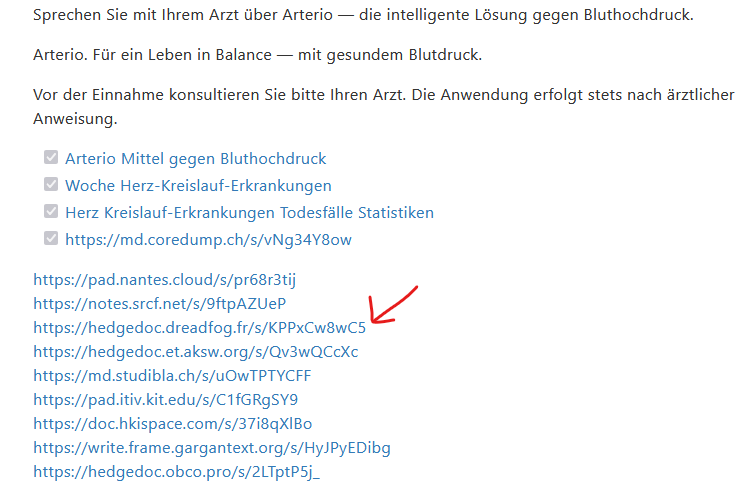
From what I’ve seen, it looked like the goal of such activity was to promote scam websites for various purposes (illegal drugs, crypto casinos mainly). The idea was that all the other Hedgedoc instances that were part of the network hosted the same article so that it had more chances to be indexed by Google and referenced.
Result of the investigation
Following those discoveries
- I disabled anonymous page creation
- I deleted the 11.000 malicious pages
Which is an example of what can be discovered / achieved with the help of OFM!
7) Conclusion
Now that you’ve had an overview of the platform’s capabilities, I hope that it has piqued your interest! Don’t hesitate to try it out: maybe you’ll uncover different malicious behavior that I would be glad to hear about :) Github link
Please open a Github issue if you discover something buggy / a missing feature!