AI Disclaimer
This report was completely hand-written by myself.
1) Introduction
In my previous publication about OpenFraudMonitoring (see here), I went over the initial requirements, the technical implementation, and the core features of the platform. Since then, I have kept iterating on what I consider to be the baseline of what I want OFM to be: a real investigation tool, not just a fingerprinting dashboard.
Here were my goals for this iteration:
- I want to be able to correlate sessions together, visually, rather than jumping between filtered lists.
- I want to be able to pivot from one session to related ones based on shared metadata or triggered rules, without losing track of what I’m looking at.
- I want behavior, not just static fingerprinting data, to be a first-class citizen when scoring a session.
- I want to be able to build risk rules directly from behavioral events, the same way I already could from device metadata.
So, the goal of this blog post is to walk you through the two new features that came out of this work: the graph view, and behavioral fingerprinting with behavior-based risk rules.
2) Graph view
When working on an investigation, filtering and browsing session lists only gets you so far. At some point, you want to correlate different sessions together: maybe they share a key fingerprint feature, or maybe you’re trying to visualize an activity cluster rather than reading it off a table. This is now possible with the new graph view.
From any session, you can now “explore in graph”:
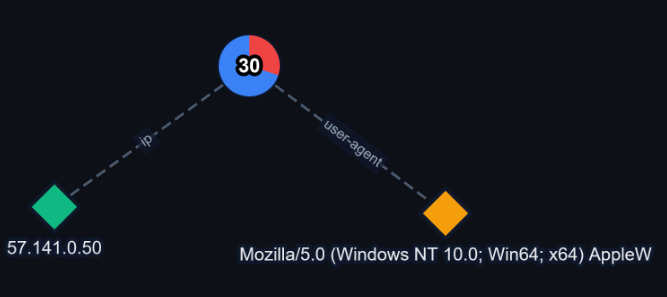
Of course, the whole point of a graph investigation is to be able to expand the graph based on session metadata or triggered risk rules, and OFM does exactly that:
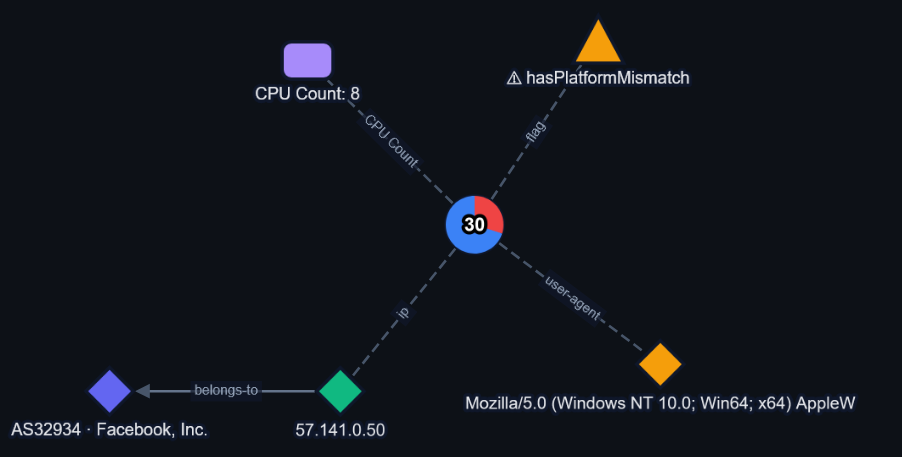
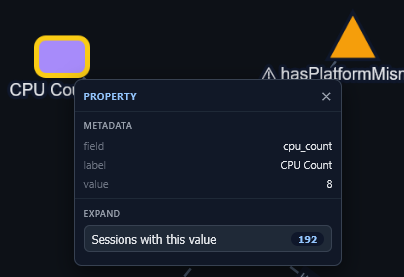
Note: before expanding anything, OFM always tells you how many nodes are about to be added to the graph. This way, you know in advance whether you’re about to pivot on a high-cardinality property (and about to flood your graph) or not:
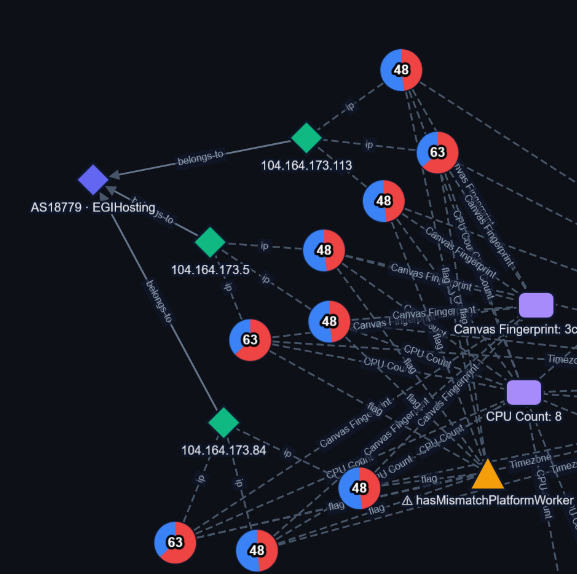
You can also select several nodes of the same type and bulk-expand them, for example to pull the same metadata field across multiple sessions at once. Here is a cluster of 9 sessions I found this way, all originating from the same autonomous system, sharing the same canvas fingerprint, the same number of CPU cores, and the same triggered rule:
There’s a lot more to the graph functionality than what I’m covering here: node type coloring, selection by type, and a few other conveniences. I’ll let you discover the rest by yourself!
3) Behavioral fingerprinting, and behavior-based risk rules
Detecting malicious behavior can’t rely on static fingerprinting alone. To go further, I have implemented the collection of 4 behavioral events so far:
- when a user copies something from the page
- when a user pastes something into the page
- when a user clicks on a button
- when a user submits a form (like a login)
The idea behind this was simple: I wanted to be able to write risk rules like “sessions with more than 3 paste events” or “a paste longer than X characters”, the same way I already could for device metadata.
How it works
The implementation in OFM is fairly straightforward: a rule scans active sessions and matches them against the behavioral criteria you configure. Here is a sample rule:
[
  {
    "field": "behavior_copy_count",
    "op": "gt",
    "value": "3"
  },
  {
    "field": "behavior_paste_count",
    "op": "gt",
    "value": "3"
  }
]
This rule matches any session with more than 3 copy events and more than 3 paste events. Here is what a matching session looks like:
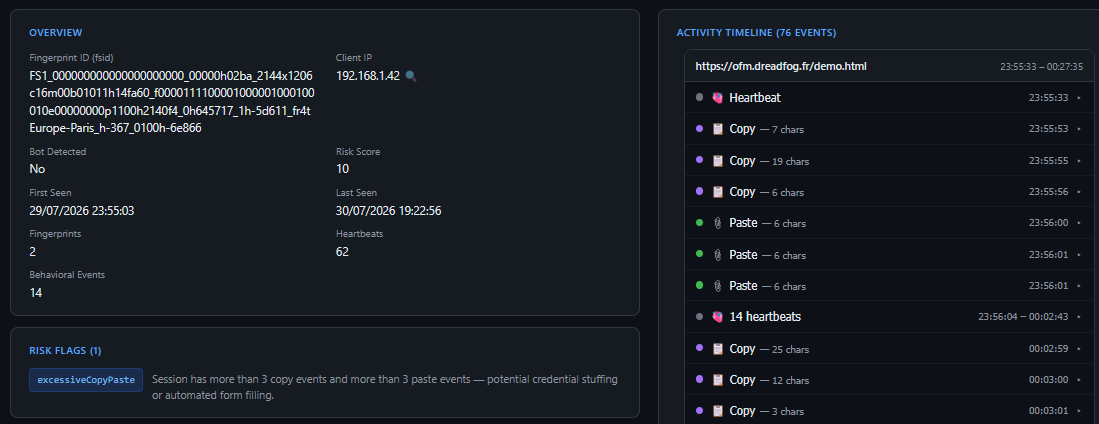
This session has a lot of copy/paste activity, and unsurprisingly, it matches the rule I just created.
A note on privacy
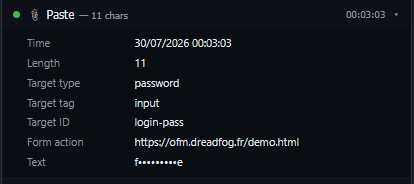
Optionally, the fingerprinting script can also capture the actual content that gets copied or pasted by the user. Since this is sensitive by nature, I added a new global setting that lets you censor this data server-side, before it ever reaches the front-end:
4) Conclusion
With these two new features, I believe OpenFraudMonitoring is starting to feel like a real investigation tool, not just a passive monitoring dashboard. I already have more ideas in the pipeline, but in the meantime, I’d encourage you to try the tool out and let me know what’s missing!
As always, you can try the platform out here: demo link
Download OFM on Github
Please open a Github issue if you discover something buggy / a missing feature!