OpenFraudMonitoring v1.4
AI Disclaimer
This report was completely written by myself, a human.
What’s OFM?
See the previous blogpost for an overview of the capabilities of the platform
What’s covered in this blog post
The goal of this blog post is to go over how OFM can be integrated into a Cyber Threat intelligence-oriented workflow. Notably
- OFM’s compliance with the STIX2.1 format
- Enrichment with an external OpenCTI instance
- Threat Intelligence dissemination
- How to block malicious sessions identified through OFM?
OFM’s compliance with the STIX2.1 format
As OFM is (in a way) a Cyber Threat Intelligence platform, I wanted it to be compliant with the Cyber Threat Intelligence standard that is STIX.
To do this, I implemented the standard as the founding block of OpenFraudMonitoring. All entities except sessions and devices are saved as STIX entities in OFM. This includes the observables (ip addresses, user agents, autonomous systems), the indicators, the relationships and the Threat Intelligence received from an external source (malware, campaign, intrusion set, etc…). Here is for example how an Autonomous system is modelled in OFM:
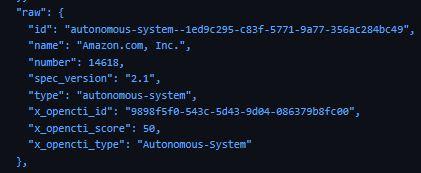
By the way, you can see that I have included OpenCTI-specific fields for some metadata. This is because my main objective with regards to integration is to make communication with an OpenCTI instance as seamless as possible.
Enrichment with an external OpenCTI instance
If you are in the Cyber Threat Intelligence field, you have probably heard of OpenCTI, an open source Threat Intelligence platform. This platform’s main purpose is to centralize intelligence from various sources, and enable users to perform actions on / thanks to the data. I won’t go deep into how this tool works, so please check out their repository for all the details.
The idea for OFM was simple: You may want to use the intelligence you have to help you correctly identify malicious sessions on your infrastructure. To do this, I have created an OpenCTI connector that gives you the possibility of looking up an IP address on a remote OpenCTI instance. This could give valuable information, like
- if this IP address is known for some malicious behavior
- if there is a precise attribution of the behavior
- if it is tied to a malicious campaign
- etc…
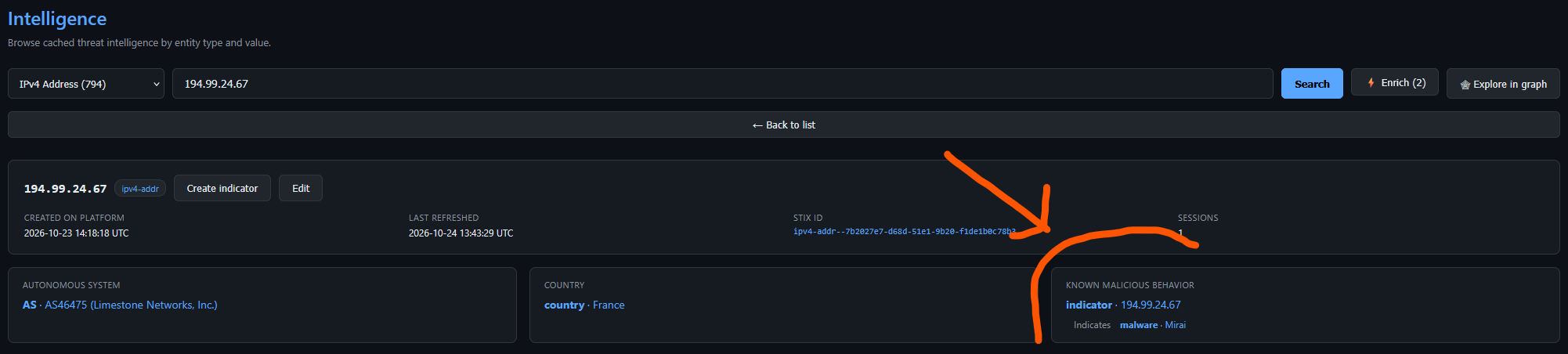
This is how it looks like in practice. Let’s say that you have the knowledge in OpenCTI that an IP address is part of a botnet:
 You can retrieve that information directly into the platform bby clicking on the “enrich” button (can also be configured to automatically lookup an IP address):
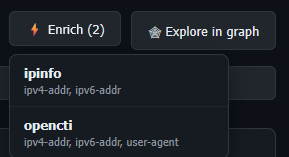 Now, the information is visible in the intelligence view of the IP address:
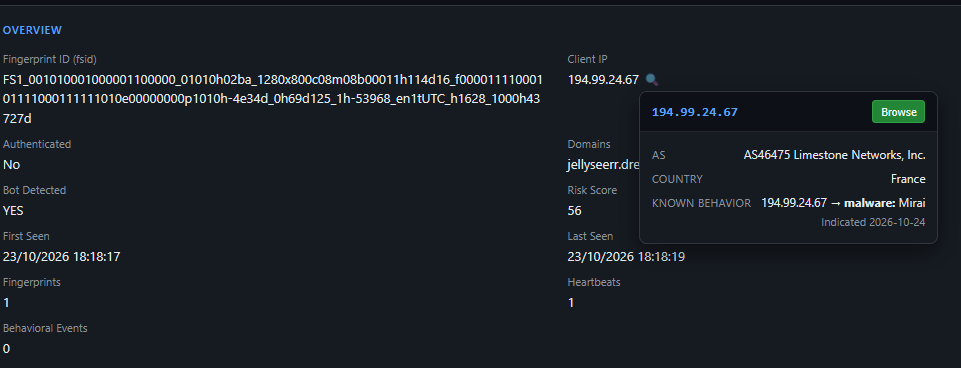
 You can also easily get this information in a pop-up when reviewing a session originating from this IP address:
I plan on developing the possibility of configuring risk rules that can increase the score of a session if the IP address is known for malicious behavior. For now, it is simply indicative!
Threat Intelligence dissemination
In Cyber Threat intelligence, we differentiate observables and indicators. Quoting from OpenCTI’s official documentation,
- Observables are raw data points or measurable events within a system or network. Observables on their own don’t necessarily indicate malicious behavior and can include items like legitimate IPs or domains associated with an organization.
- Indicators, or Indicators of Compromise (IOCs), are Observables enriched with context to signify potential threats. An Indicator typically includes a pattern or logic that defines the conditions in which an Observable might be a threat.
In STIX, we say that “an indicator is based on an observable”, which means that the indicator is here to specify “we know malicious behavior tied to this specific observable”.
Following this logic, OFM now has a new configuration parameter that gives the possibility of creating an indicator based on an IP address for which a session score went above a configurable threshold. This is to specify “this IP was at the origin of a malicious session, and we want to act upon it”.

To act upon this information, OpenFraudMonitoring can expose Threat Intelligence feeds in two formats:
- A TAXII feed, that is the standard protocol for sending STIX-based information
- A basic CSV feed that is here to help integrate OFM more broadly directly with other tools.
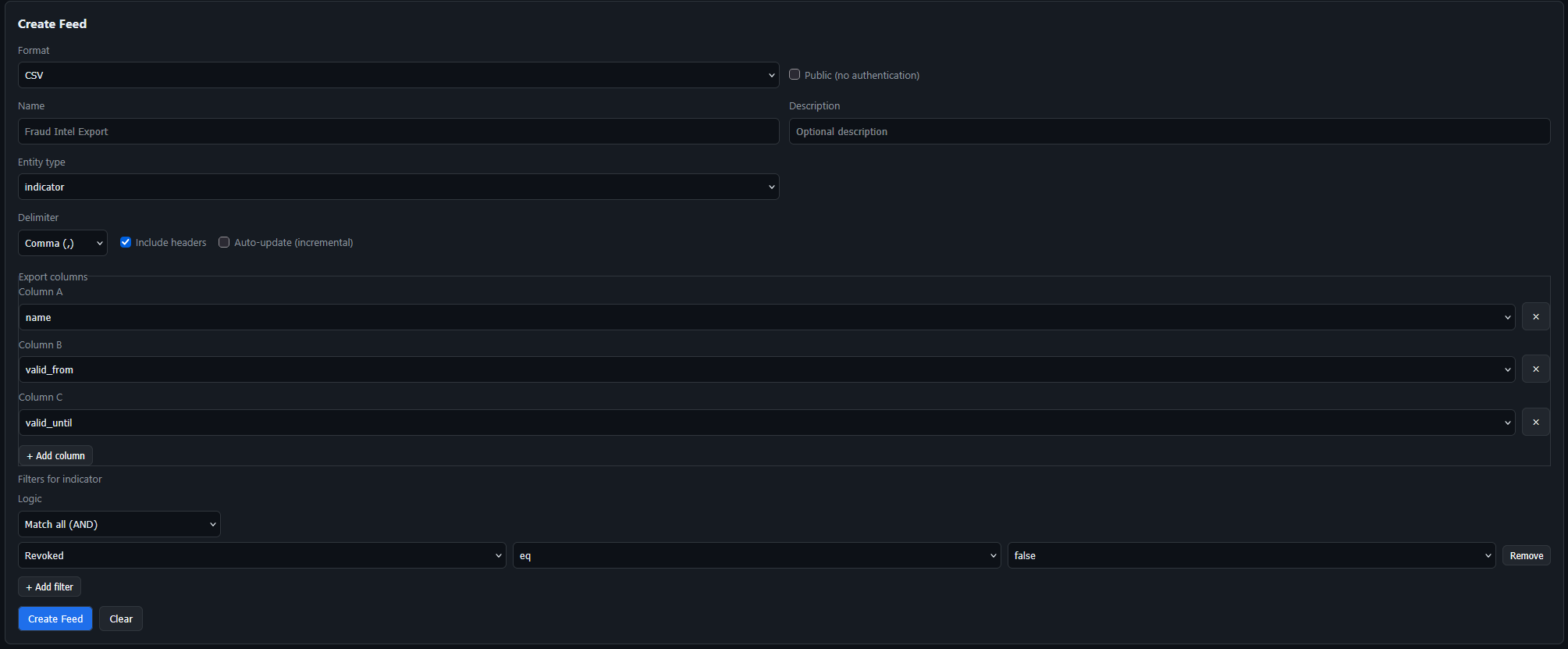
Here is for example how a simple CSV feed can be configured to yield currently valid (unrevoked) indicators for detection / blocking:
How to block malicious sessions identified through OFM?
Thanks to the external CSV/TAXII feeds, you can integrate OFM with firewalls, SIEMS, and basically any tool that is capable of ingesting raw IP lists, CSV feeds or TAXII feeds.
For the sake of simplicity, and also because initially the goal of this project was to protect my NAS, I will show you how you can easily block malicious IP addresses by simply using nftables
In OFM’s Github repo, I have added a basic script that you can use, and that I will be demonstrating here
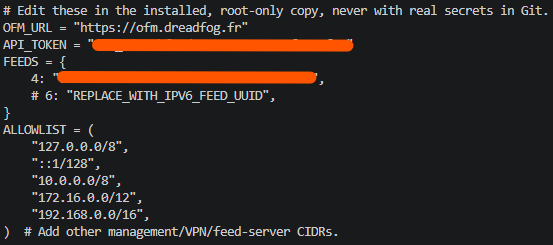
- configuration of the script with key variables
- installation of the script, and configuration to periodically run it as root (cron)

- check of the correct execution through the logs
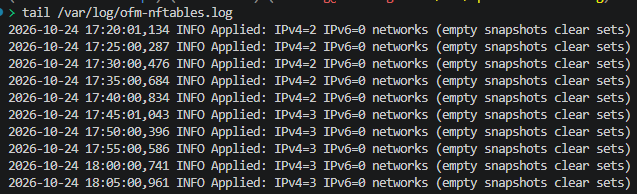
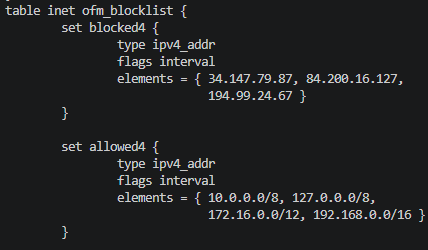
And you can see that three IP addresses are currently blocked through NFTables, whose purpose is to simply drop the packets received by those IP addresses
Outlook
This release give the possibility of easily blocking malicious IP addresses. After all, this is the purpose of OpenFraudMonitoring! Please reach out if you use OFM to block malicious IP addresses in another way (integration with Bunkerweb, Caddy configuration, etc…). This will help me improve the documentation on how to use OFM! As always, you can check the repo here: OpenFraudMonitoring