OpenFraudMonitoring V1.2
AI Disclaimer
This report was completely written by myself, a human.
What’s covered in this blog post
The goal of this blog post is to give an overview of the capabilities of OFM. I will voluntarily go over features that existed before, and new features that I have implemented since the previous blog posts. For instance, Here are the two publications I have made about it:
First publication, with a concrete example of fraudulent activity detected thanks to it
Second publication introducing the graph view and behavioral fingerprinting
The key takeaway from this blogpost is that this is the first version production-ready, and can actually be used by individuals, but also by companies that want to detect malicious activity on their website / public infrastructure.
What’s the purpose of OFM?
As the name implies, OFM’s main purpose is to help in detecting fraud activity on a public domain. It works by collecting technical details about the web browser of the user, and by collecting its behavioral activity (button clicks, mouse moves, copy / paste, etc…). This information is then stored into OFM’s database, compared against preconfigured rules, and can then be visualized easily.
Data collection
Collection is performed using Javascript directly in the browser of the user. You can see what it collects in this demo page.
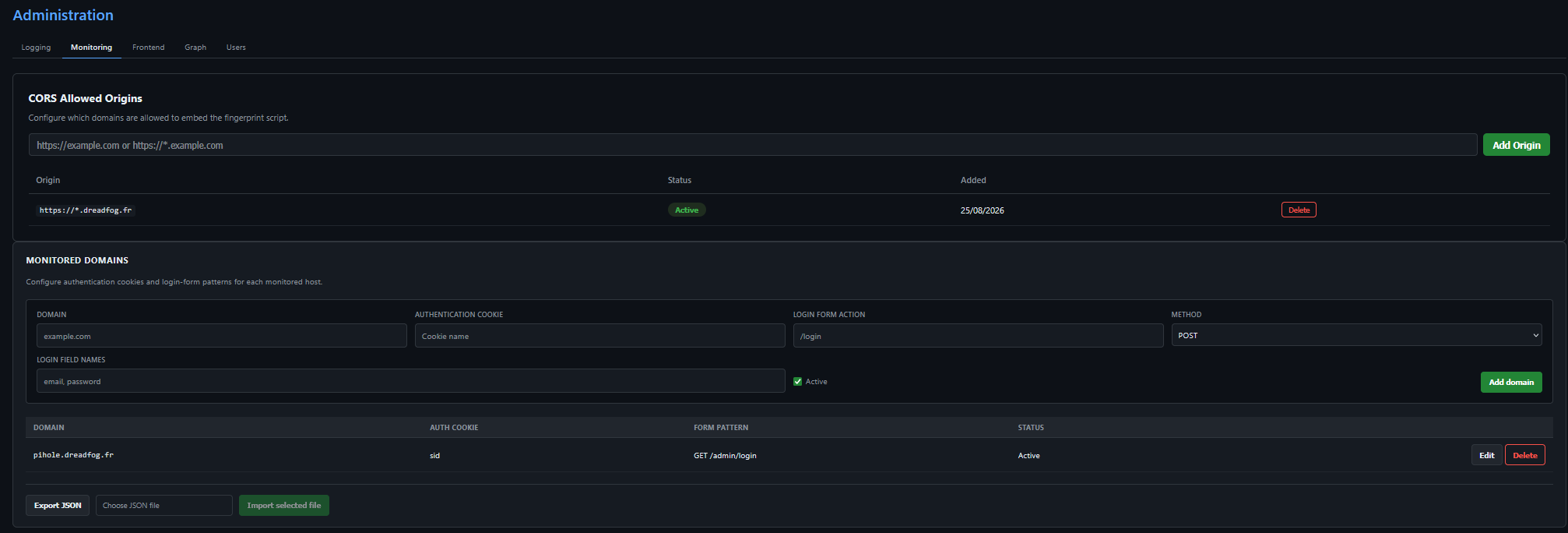
- The server configuration gives you the possibility of specifying where you want to receive the data from (CORS allowed origins)
- You can tell OFM the name of the cookie that can be used to detect authenticated sessions on your website, and how authentication attempts are performed (URL, form layout). This helps to triage anonymous traffic and authenticated traffic. At some point (still a work in progress), this will also allow the creation of rules like “multiple user sessions with different identities from the same IP address” which may be indicative of malicious activity in itself. Here is what it looks like when configured
Two types of information are collected:
- Browser fingerprint
- Behavioral data
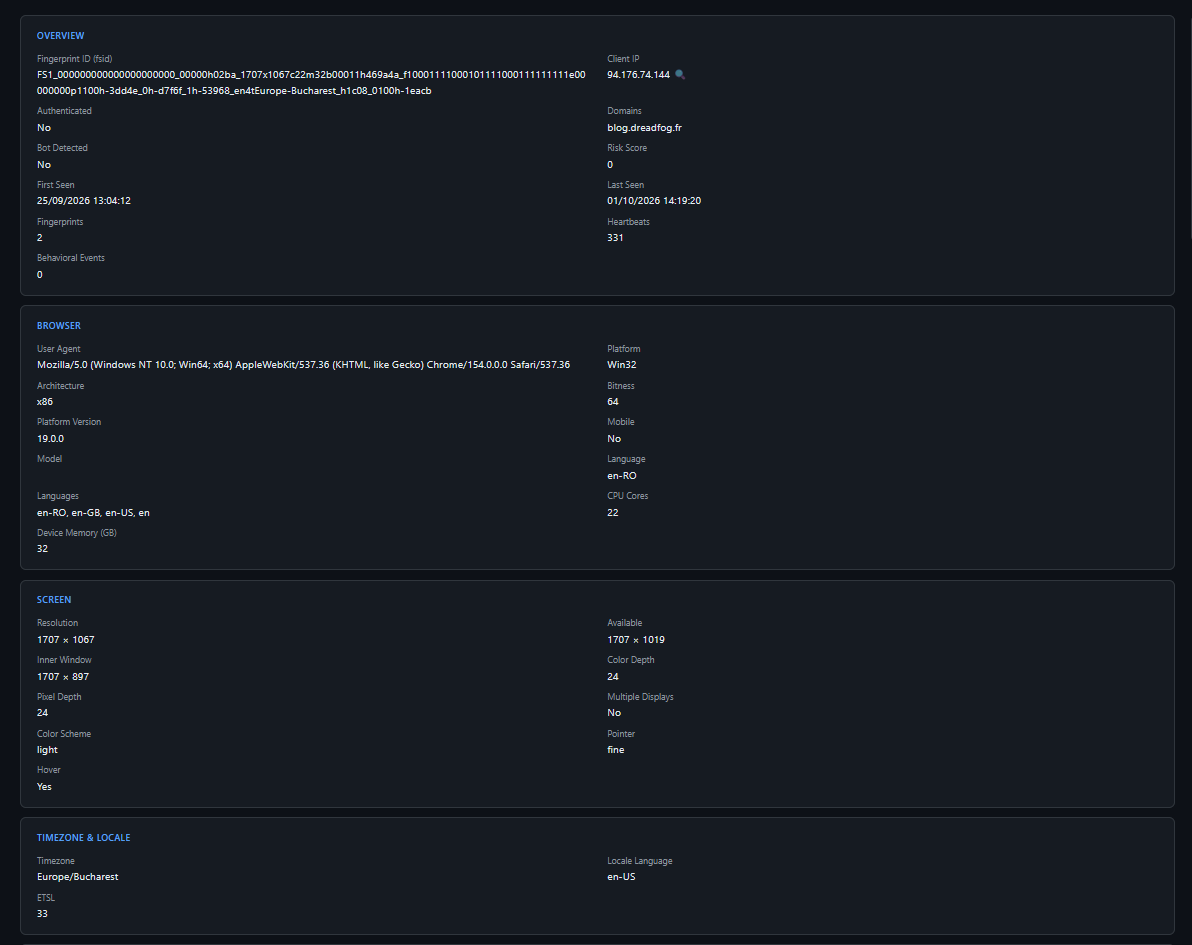
On one hand, the browser fingerprint is what OFM defines as a session. It’s information like “this device queried this URL with this browser at that moment”. Here is a random fingerprint:
On the other hand, behavioral data is what the user actually does when browsing your domain. This is collected as individual events and is then visualized on the platform. Currently supported events are:
- button click
- form submit
- copy / paste
- authentication attempt (specific form submit that can be configured)
Based on feedbacks from users of OFM, we may add other behavioral events to collect. Here is what a timeline looks like:
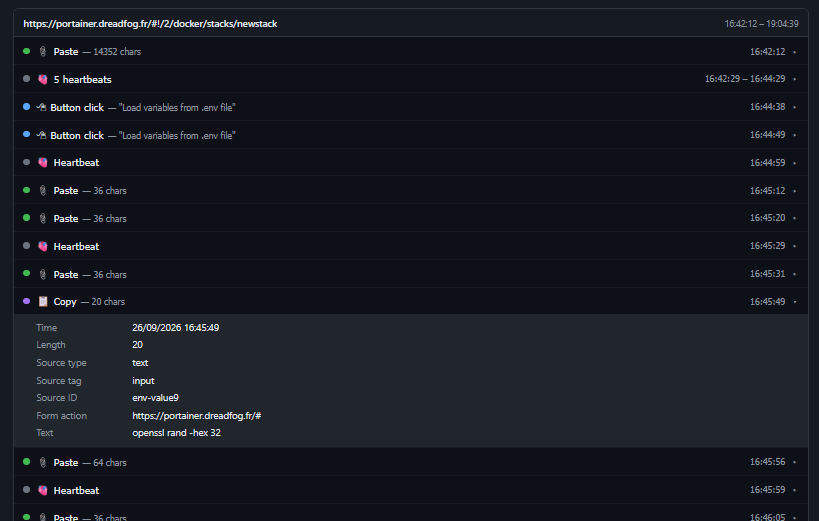 This is a screenshot of a time where I deployed a new stack on my Portainer instance. As you can see, form fields / copy and paste values can be inspected. This is a collection behavior that can be enabled or disabled at will in the configuration of the platform.
Device detection
In OFM syntax, a device is the hardware from which the behavior is observed. The goal of a device is to track a user across sessions whose signature can change (browser version update, etc…). Here is what it looks like:
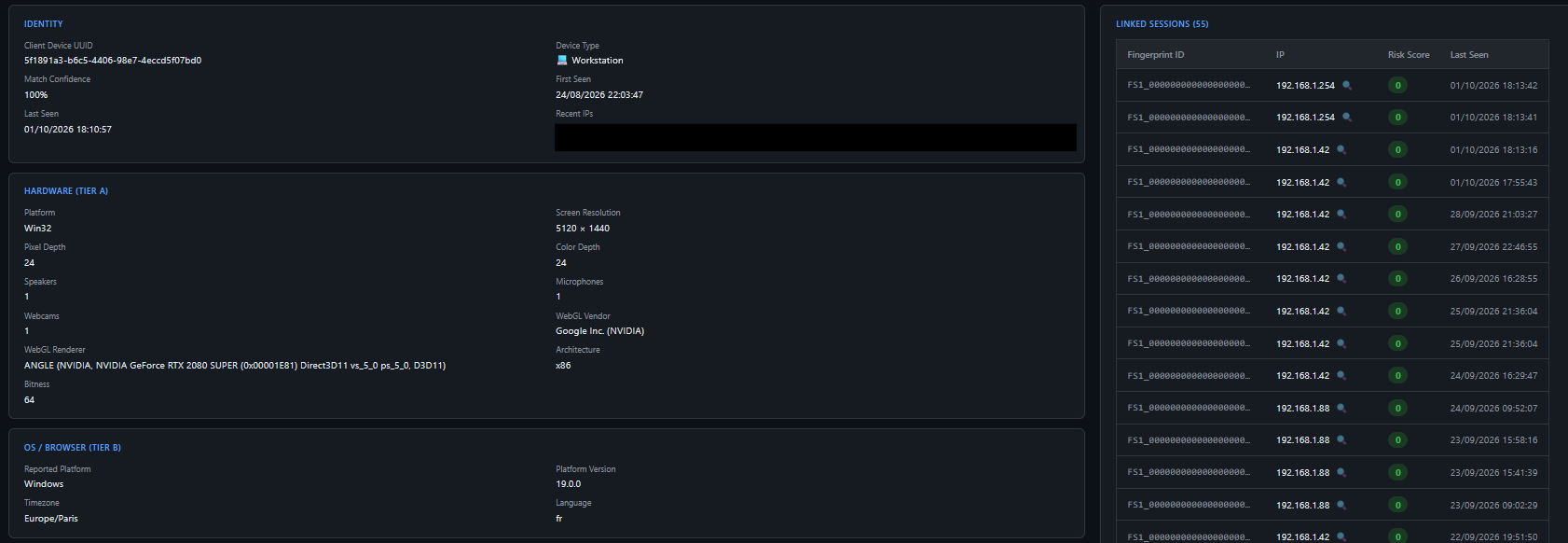
Here is my device, with my screen resolution, graphics card, operating system, etc… This serves as a pivot point between multiple sessions.
Customizeable rule correlation
The goal of a rule is to add a risk score to a session, which can go up to 100.
As OFM is built with FPScanner as a fingerprint base, some rules are directly calculated by this fingerprint tool. However, you can customize new rules based on specific fingerprint values or behavioral activity so that it fires when the conditions are met. OFM is bundled with a rule creation tool that gives you the possibility of specifying filters for your rule to match:
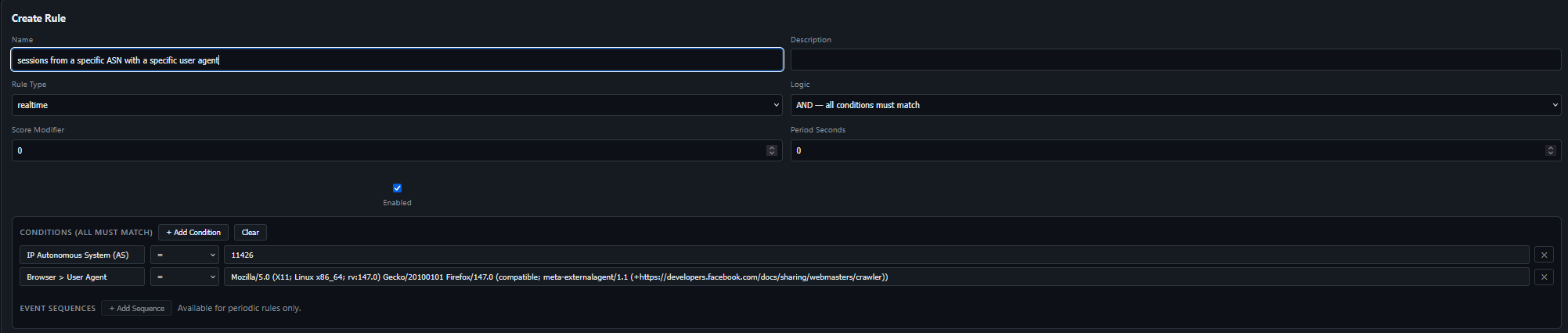
Of course, you can also create behavior-based rules that are scanned periodically against the latest sessions:
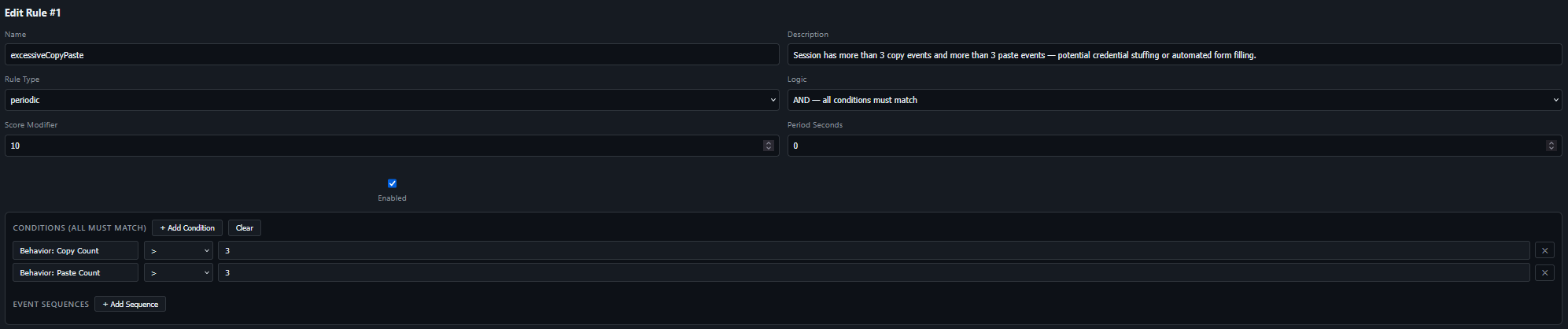 For example, this rule will add a risk score of 10 to any session during which 3 copy and 3 paste events are observed.
OFM is also capable of understanding sequence-based rules. For example, I can create a rule that detects a paste in a specific field followed by a form submit event:

Data visualization
Here is what it looks like (in dark mode, but there now is a light mode!):
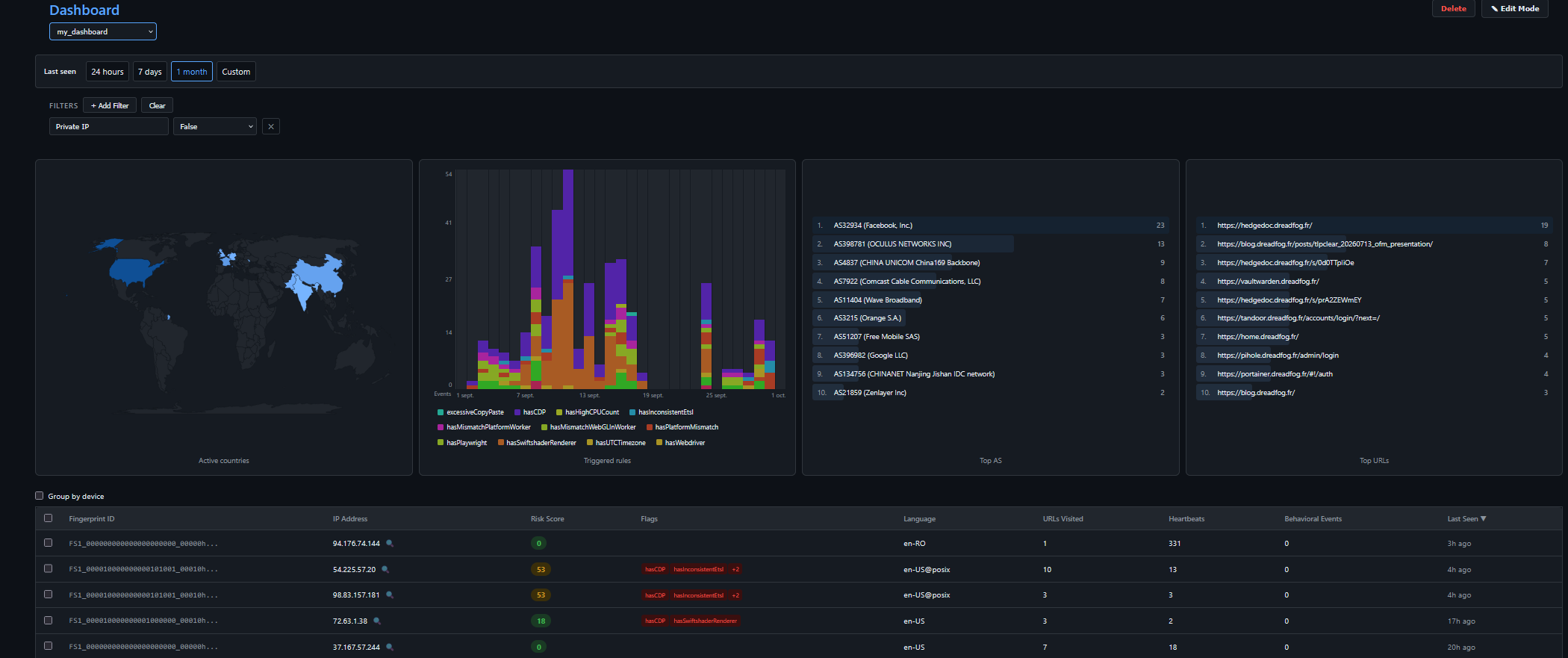
You have a fully configurable dashboard that gives you the key information on a specified time frame. You can add filters based on what you are looking for, for example
- you want to inspect behavior of users from a specific IP address: OK
- you want to see where users triggering a specific rule come from: OK
- you want to see the alert volumerty over time: OK
- …
Graph feature
In some complex investigations, you may want a graph to visually identify clusters.
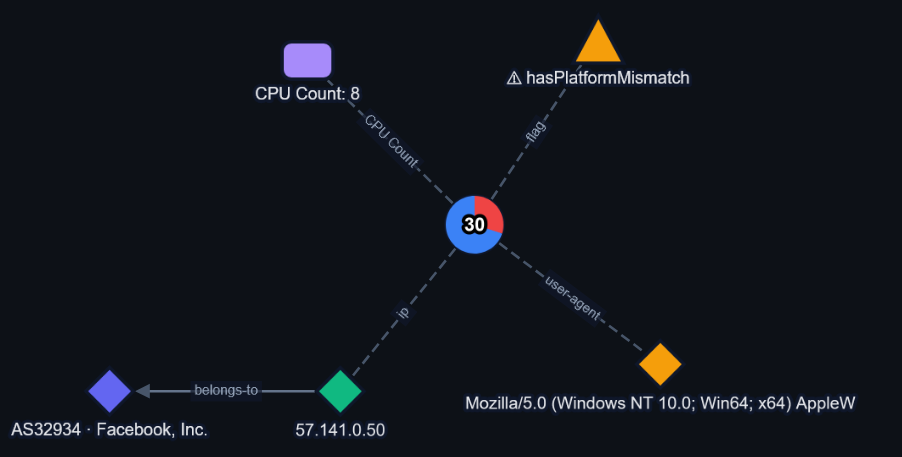 Note: there’s a blogpost that covers this topic in depth, but basically fingerprint features can be expanded upon, and any Threat-related data is modeled using STIX2, like the relationship “ip address belongs-to autonomous system”
But wait, there’s more!
Some other features are still a work in progress, but are worth mentioning:
- creation of filtered TAXII feeds to automatically export IP addresses with sessions above a certain score to be blocked by a firewall (WIP)
- web-based Docker container monitoring (logs, queue depths)
- light mode!
- automatic query of available intelligence from an external opencti instance (WIP)
So what’s next?
I’m at a point in the development where I need insights from actual users. This platform is tailored to my needs as an independant user, but I would be eager to get the insights from bigger structures! You can download OFM freely from Github. Please give it a star :)